
Recyclability labels printed on packaging can only say so much, and recycling rules differ wildly from one city or country to the next. A QR code solves that mismatch by turning a static label into a live link to instructions that match exactly where the customer lives.
This guide walks through how to plan, design, and implement a QR code recycling program on your packaging, what to put behind the code, and the mistakes that cause well-intentioned codes to go unscanned or unread.
Quick Answer
Print a scannable, high-contrast QR code on your packaging that links to a mobile-friendly page with clear, ideally location-specific, disposal instructions for that exact package. Use a dynamic (redirect-based) QR code or a GS1 Digital Link so you can update the destination content without reprinting packaging, and pair the code with a short on-pack prompt like “Scan to recycle right” so customers know why to scan.
Step-by-Step: Setting Up a Recycling QR Code
Start by deciding what the code should do. Many brands use standardized programs rather than building from scratch: How2Recycle’s newer “Plus” label, developed with The Recycling Partnership, includes a QR code called Recycle Check that a shopper scans, enters or shares a zip code, and gets a real-time yes/no on whether that specific material is accepted in their local program. If you’d rather host your own page, you control the design but take on the job of keeping local recycling data current, which is harder than it sounds since municipal rules change often.
Choose a dynamic QR code rather than a static one. A static code has the destination URL baked directly into the pattern and can never change once printed. A dynamic code (or a GS1 Digital Link, the GS1 standard now being adopted industry-wide for 2D barcodes) redirects through a server, so you can update the landing page, fix broken links, add languages, or swap in new recycling guidance at any time without touching the packaging artwork or ordering new print runs.
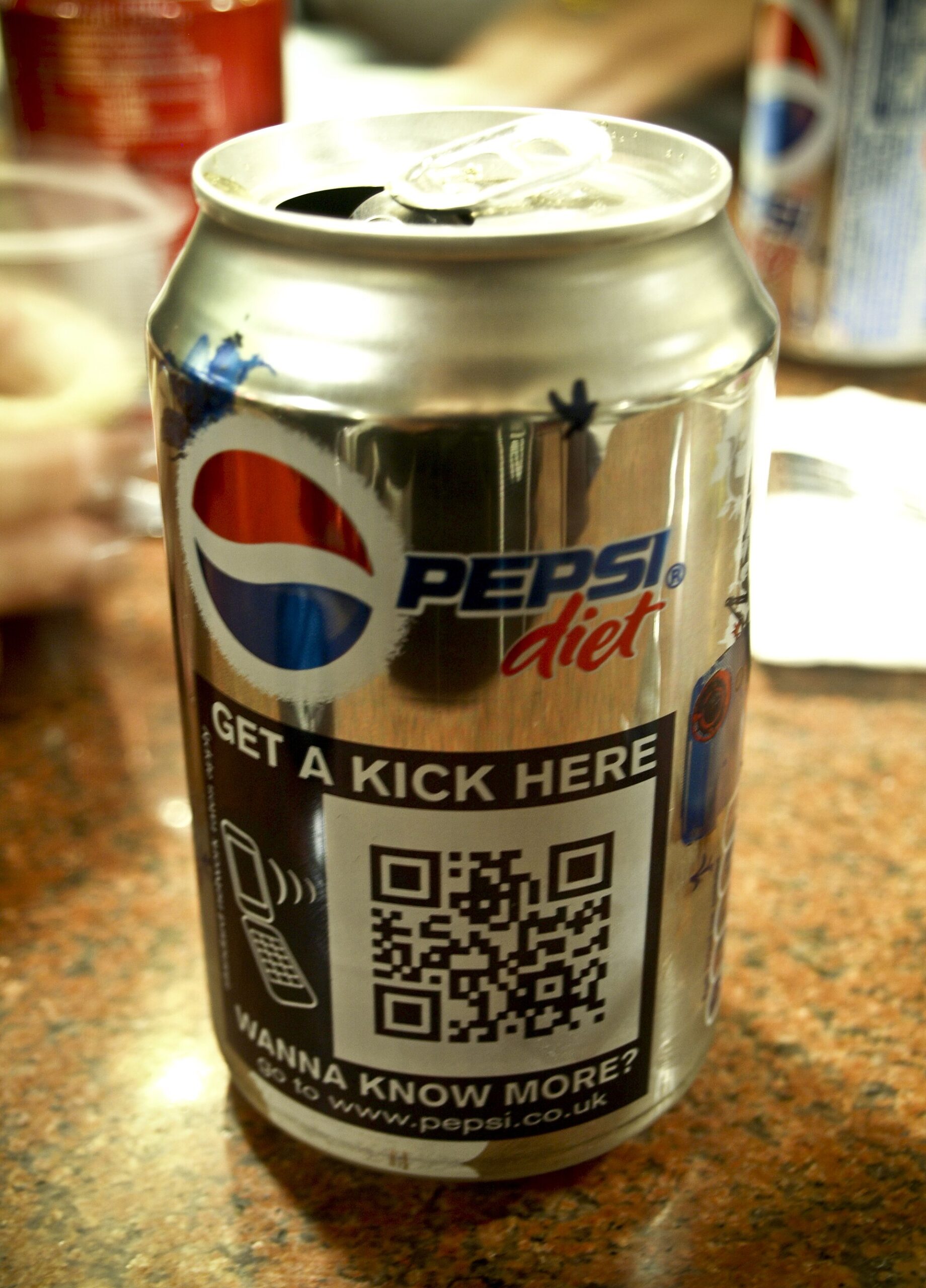
Design the code to actually scan. Keep the QR code at least 10mm (about 0.4 inch) on its smallest side for close-up packaging scans, and use the rule of thumb that the code’s size should be roughly one-tenth of the expected scanning distance for anything meant to be read from further away. Leave a clean quiet zone (blank margin) of at least four modules on all sides, since a crowded border is one of the most common reasons codes fail to scan. Use dark ink on a light background for the strongest contrast, and if the surrounding label is busy or dark, put the code inside a white padding box.
Place it where customers will actually see it, ideally on the front or a clearly visible panel rather than a side seam or the bottom of the pack, and pair it with a short call to action (“Scan to recycle right” or “Scan for local recycling info”) so people understand what scanning gets them. Modern phones scan QR codes directly through the built-in camera app on both iOS and Android, so you generally don’t need to ask customers to install a separate app.
Test before you print. Scan the code in different lighting, at different distances, on both a matte and a curved or reflective surface if that’s your material, and on several phone models. Confirm the destination page loads fast and renders cleanly on mobile, since a slow or desktop-only page defeats the purpose.
What to Put Behind the Code
The landing page is where the real work happens. At minimum, tell people whether the package (and each separable component, like a cap, sleeve, or liner) is recyclable in curbside programs, whether any part needs to be separated or emptied first, and where to take components that aren’t curbside-recyclable, such as flexible film or foam that need drop-off or store take-back. If you can pull in location-based guidance, even better, since “recyclable” varies by municipality and a generic answer can send materials to the wrong bin.
Beyond disposal instructions, the same QR code slot can carry material composition, recycled content, and any relevant certifications, plus links to broader sustainability initiatives, without cluttering the printed label. Just keep the primary path focused on the one action you most want: getting the package into the right stream.
Worth knowing as a related but separate technology: some brands and industry groups (through the AIM-led HolyGrail 2.0 initiative) are also piloting invisible digital watermarks, tiny printed codes read by sorting-facility cameras rather than consumer phones, to improve automated sorting at recycling plants. That’s a facility-side tool and doesn’t replace a consumer-facing QR code, but it’s a sign the same packaging can eventually carry both a consumer QR code and machine-readable sorting data.
Tips / Common Mistakes
Don’t link to a generic homepage or a PDF; land people on a page built for the exact SKU, ideally with the specific disposal steps above the fold. A common mistake is using one QR code across a whole product line when packaging materials differ by size or variant, sending customers to instructions that don’t match what’s in their hand.
Don’t use a static code if you expect recycling programs, materials, or your certifications to change, since a static code can’t be fixed if it later points to outdated or wrong information. Avoid low-contrast color combinations (light-on-light, or reds and oranges) and never shrink the code so small or crowd it so tightly with other text that scanners can’t lock onto it. Finally, don’t bury the recycling instructions three clicks deep; the point of the QR code is to remove friction, not add it.
Explore more: more sustainable packaging strategies.
QR codes on packaging FAQs
Do QR codes on packaging actually improve recycling rates?
There’s no single verified industry-wide figure to cite, but the logic is straightforward: confusion about local rules is a major reason recyclable materials end up in the trash, and a QR code that gives a clear, location-specific answer removes that guesswork at the moment it matters. Programs like How2Recycle’s QR-enabled label were built specifically to address that gap.
Should I use a static or dynamic QR code for recycling instructions?
Use a dynamic QR code (or a GS1 Digital Link) whenever possible. It lets you update the destination page as recycling programs, materials, or certifications change, without reprinting packaging, which a static code can’t do.
What’s the minimum size for a QR code on packaging?
Aim for at least 10mm (about 0.4 inch) on the smallest side for close-range scanning, with a quiet zone (blank margin) of at least four modules on every side, and high-contrast dark-on-light coloring.
Source Smarter With Packaura Direct
Find packaging suppliers, surplus inventory, and certification — all on Packaura Direct. Try Packaura Direct.
Photo: Dicklyon / CC BY-SA 4.0, via Wikimedia Commons.